Stop emailing Guitar Pro files to your band
ControlTab is a shared library for your band's tabs. It keeps every version of every song, shows what changed between two of them bar by bar, and lets the band agree on a change before it replaces the version everyone is practising.
Create your band It's free. Already in a band here? Log in.
See what changed between two versions
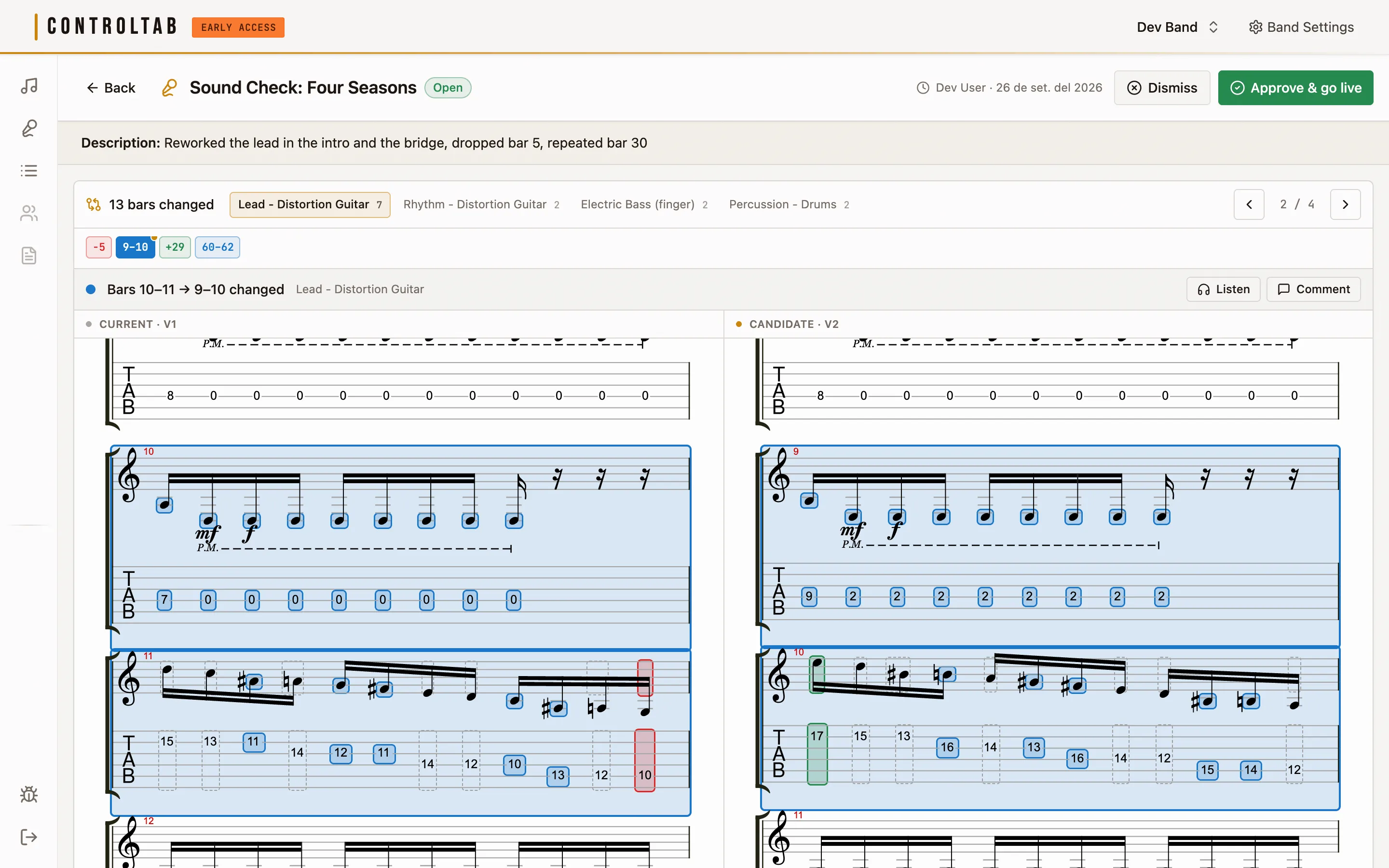
When you upload a new version of a song, ControlTab lines it up against the previous one, bar by bar and track by track. Bars that were added, removed or rewritten are marked on both scores. You can step through the changes one at a time and listen to either side.
Inside a rewritten bar the notes are marked too: blue for a note that changed, green for one that was added, red for one that was removed, and a dashed outline for one that only shifted.
Sound checks: the band approves a change first
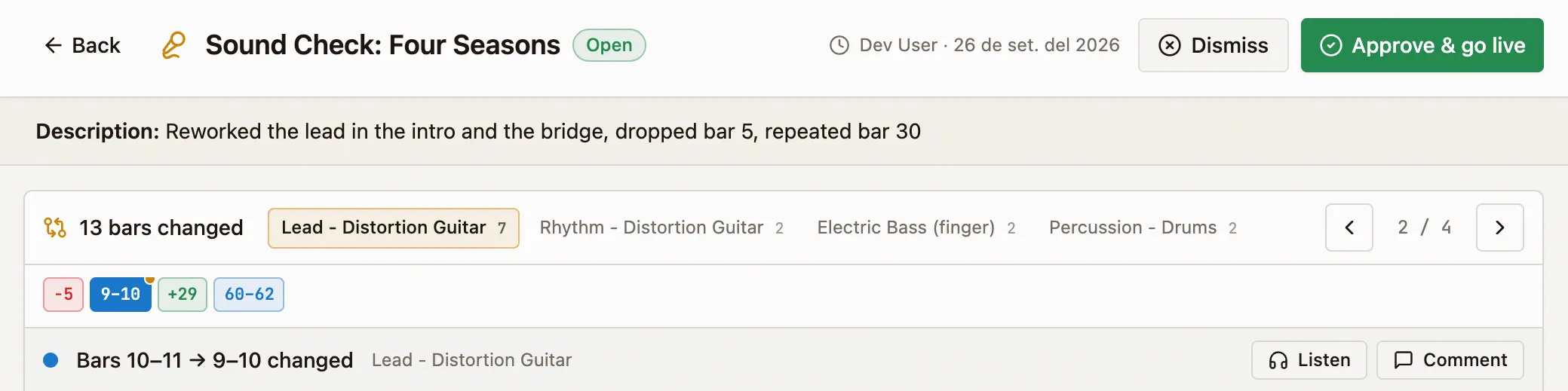
A new version doesn't have to replace the current one straight away. Open it as a sound check, with a note about what you changed, and everyone in the band sees the comparison. Anyone can comment on a specific bar, and then someone approves the version or dismisses it.
Until it is approved, the version people open and practise stays the same.

Play the tab in the browser
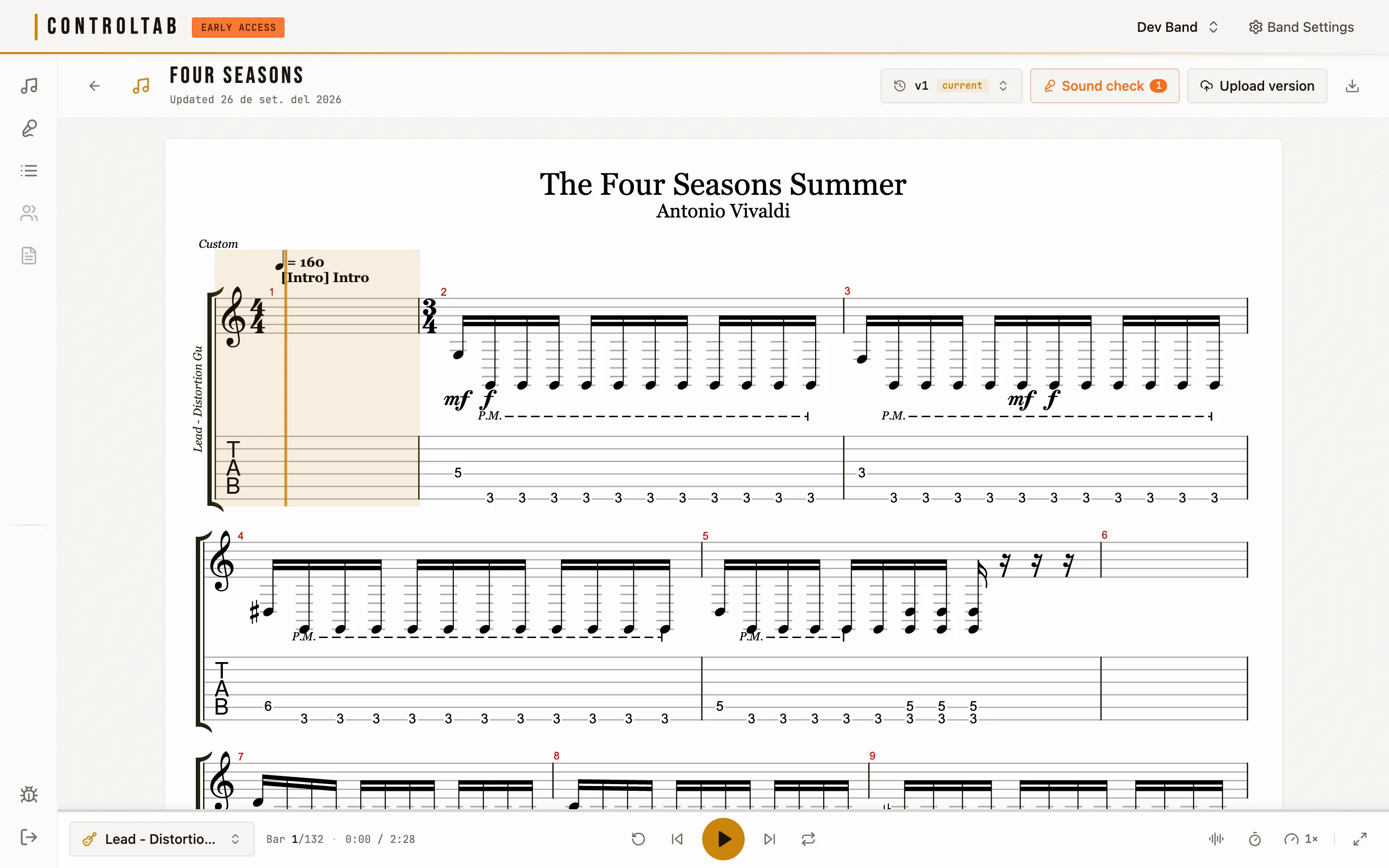
Every song opens as notation and tablature that plays back, so nobody needs Guitar Pro installed to hear a part.
You can slow it down to a quarter of the tempo or push it to double, put it on loop, mute or solo any track, and turn on a metronome and a count-in.
Setlists for rehearsals and gigs
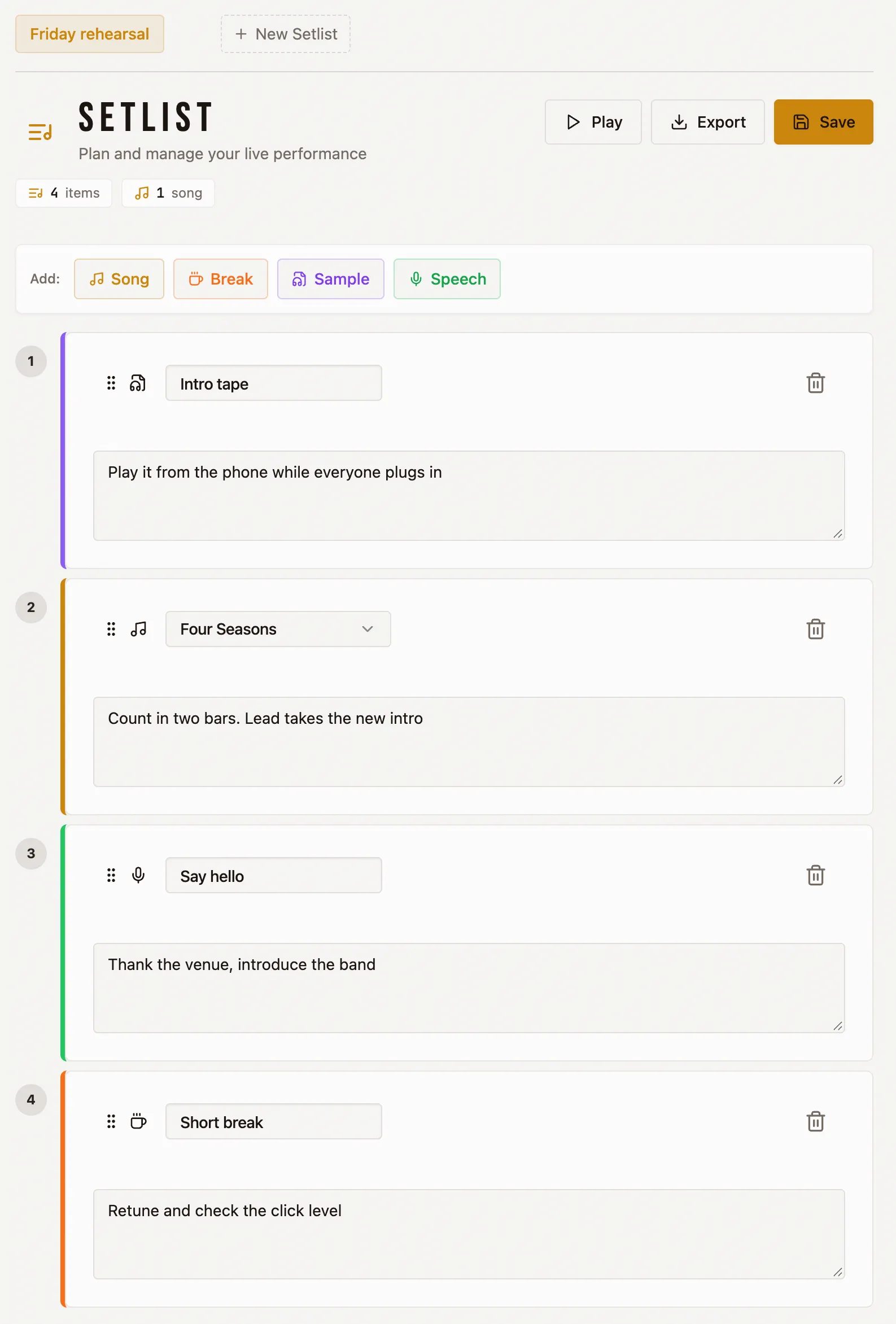
A setlist is an ordered list of the band's songs with whatever goes between them: a break, a sample to trigger, a speech. Each entry can carry a note, such as a tuning change or who starts, and you drag entries to reorder them. A band can keep several setlists.
Press Play and ControlTab opens the first song in the player and moves on to the next one when it finishes, so you can run the whole set in order at a rehearsal. For the stage you can print a setlist or save it as a PDF, as a styled list or a plain three-column table. You can also export it as CSV, or copy it as text to paste into the band chat.
What else is in it
- Albums
- Group songs into albums and keep them in track order.
- Click tracks
- Download a metronome track for any song as a WAV file, at the song's own tempo.
- Public page
- Mark a song as public and it appears on a page for your band that anyone can open without an account. Everything else stays with the band.
- Members
- Invite bandmates by email. One account can belong to several bands.
- File formats
-
Guitar Pro
.gp,.gp3,.gp4and.gp5, and MusicXML (.musicxml,.xml,.mxl). Guitar Pro 6.gpxfiles can't be read; open them in Guitar Pro and save them as.gp.
A side project by three friends
ControlTab is free, with no ads and no tracking. Three friends build it in their spare time and it is still in early access, so if something breaks, the bug button in the app reaches us directly.